changes.page

The ultimate solution for keeping your customers and stakeholders informed πŸš€

RSSAtom
  • New

    We’re excited to launch two new SDKs to make integrating changes.page easier and faster:

    • Core JS SDK (headless)

      • Lightweight, framework-agnostic library for communicating with your page.
      • Fetch posts, handle pagination, and manage raw changelog data for any environment.
    • React SDK

      • Everything the Core SDK provides, plus React-first utilities.
      • Unstyled component for embedding a changelog UI you can style to match your app.
      • Hooks to fetch posts and paginate in React components (use-ready, composable, and SSR-friendly).

    Quick start

    1. Install the SDK of your choice.
    2. Import the provided components or hooks.
    3. Embed your changelog UI or use the headless API to render custom UI.

    Read the full documentation, examples, and setup instructions: https://docs.changes.page/docs/sdk

  • New
    Improvement

    We added a GitHub Changelog Agent that automatically turns your PRs into editable changelog drafts. Connect your repo, tag the agent in PRs, then review concise, user-facing entries ready to publish.

    Quick start

    1. Go to your page integrations β†’ GitHub Changelog Agent and connect the repositories you want tracked.
    2. On PRs in the connected repo, mention @changepage and ask to draft a post.
    3. Review the draft and publish!

    This makes creating clear, consistent changelogs fast and easy!

  • New

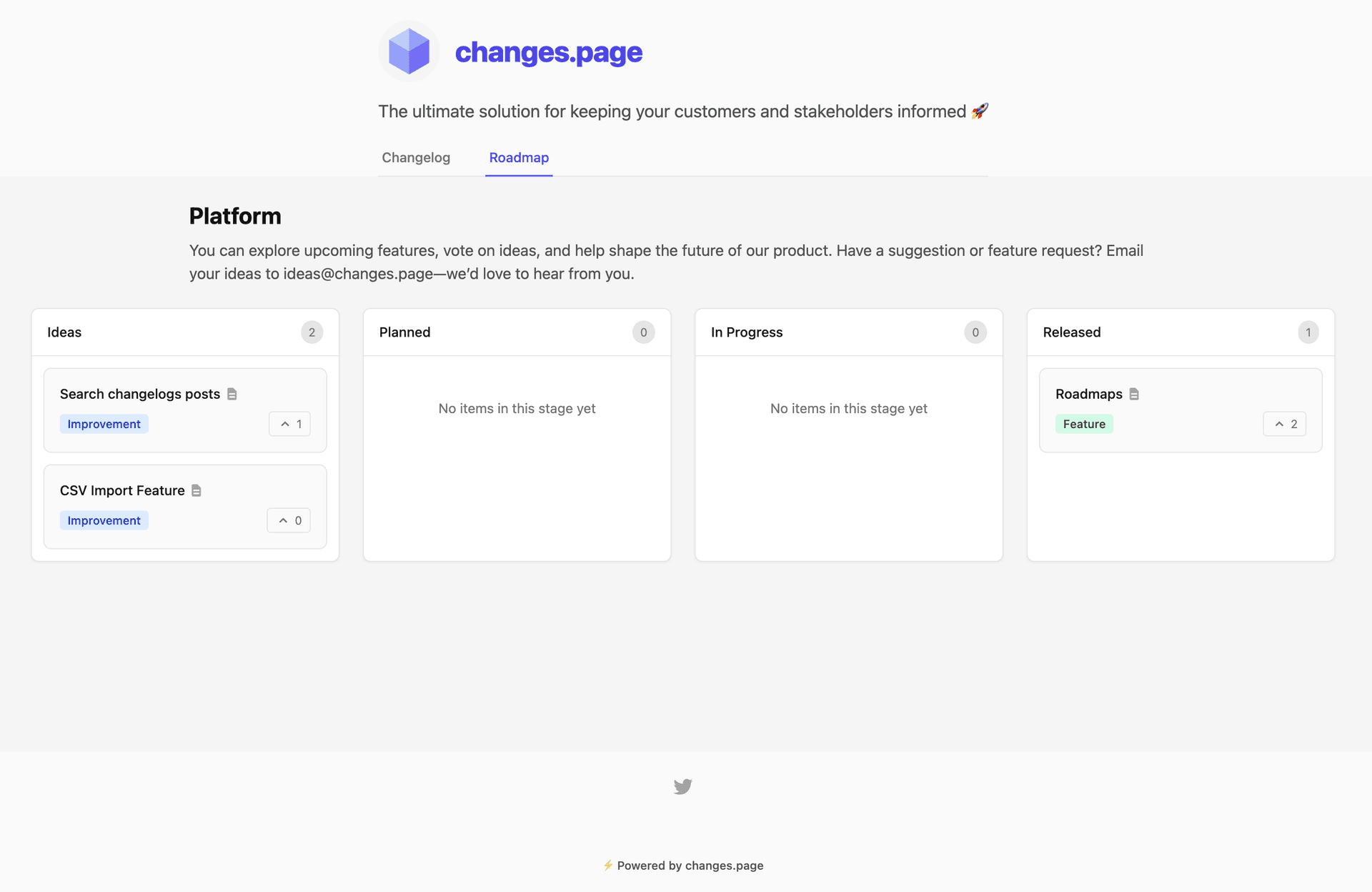
    Roadmaps are public boards that showcase your product's future direction. Unlike static roadmaps, ours come with community voting to help you prioritize features based on real user demand.

    πŸ—‚οΈ Kanban-Style Organization

    • Multiple Columns: Organize items across customizable stages (Backlog, Planned, In Progress, Done)
    • Drag & Drop: Easily move items between stages as development progresses
    • Multiple Boards: Create separate roadmaps for different product areas

    πŸ“ Rich Content Support

    • Markdown Descriptions: Full markdown support for detailed feature descriptions
    • Expandable Details: Click any item to see full descriptions and metadata

    How It Works

    1. Create a Roadmap Board: Set up a new board with title, description, and privacy settings
    2. Add Categories: Define your feature types with custom colors
    3. Populate Items: Add roadmap items with titles, descriptions, and categories
    4. Share & Engage: Publish your roadmap and let users vote on priorities
    5. Track Progress: Move items through stages as you develop them

    Ready to get started? Create your first roadmap today and see how community voting can transform your product planning process.

  • Announcement
    New

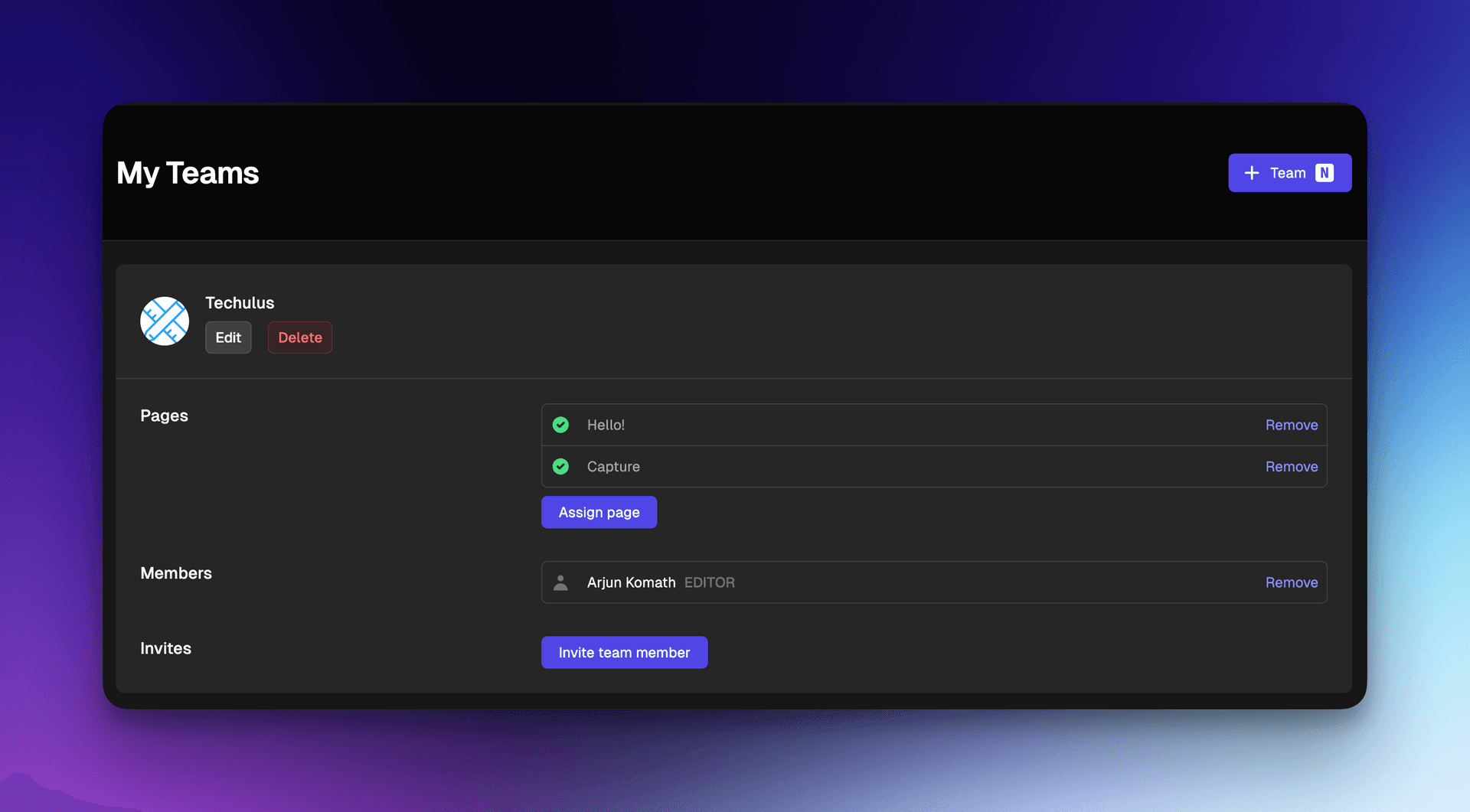
    We're kicking off 2025 by introducing one of our most highly requested features! We understand the importance of teamwork and collaboration in achieving great results. That's why we're thrilled to announce the launch of our new Teams feature. Creating teams allows you to invite your colleagues to collaborate on your pages directly within our platform. Teams is designed to streamline your workflow and enhance productivity by enabling seamless collaboration.

    We're excited to announce that Teams is officially available to all users starting today, and the best part? It's included in your current subscription at no extra charge. Start collaborating more effectively with your team now!

  • New
    Announcement

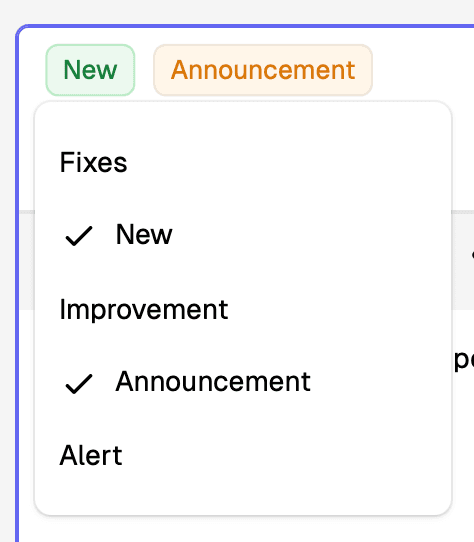
    We're thrilled to share a new update with you! Our platform now allows posts to have multiple tags, enhancing your ability to categorize and discover content more effectively. When creating or editing posts, you can now select multiple tags from the list. This improvement comes directly from your feedback, making it one of our most anticipated features.

  • New

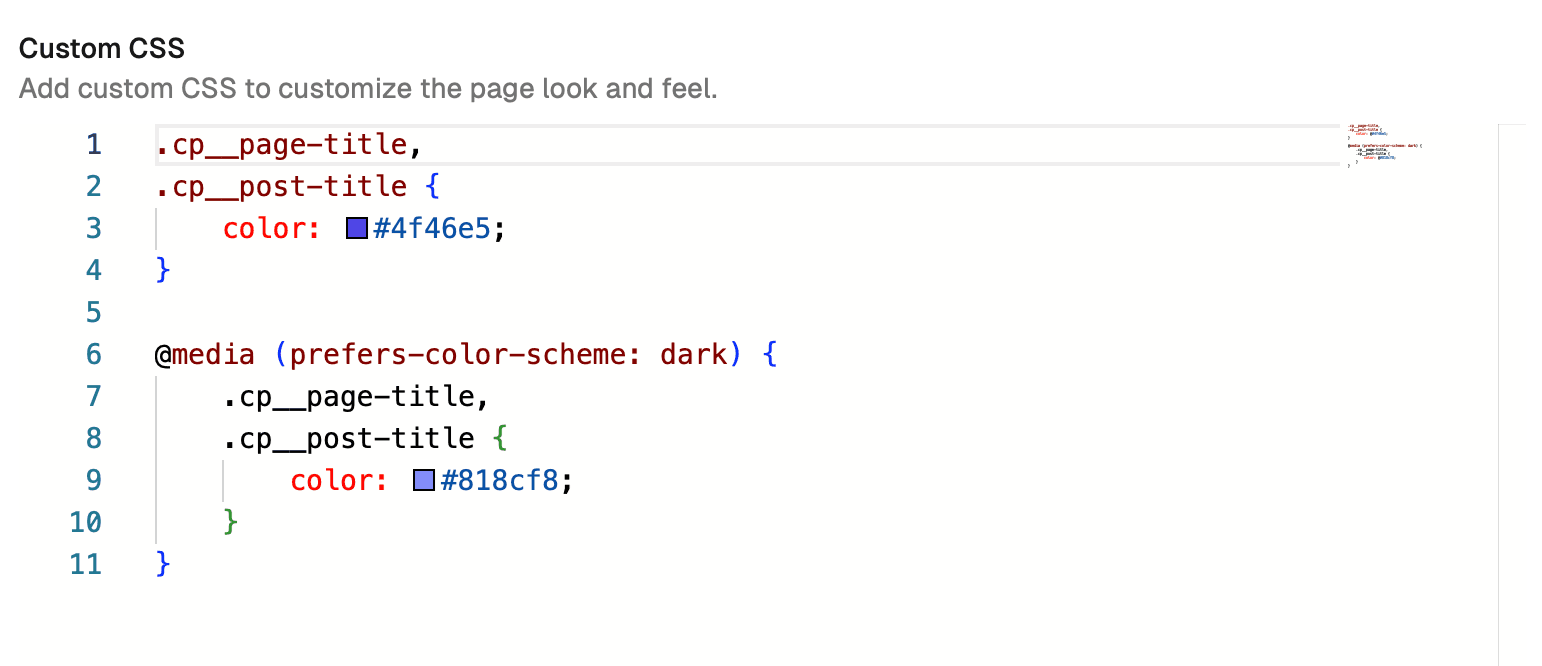
    We've introduced a new feature that allows you to personalize your changes page with custom CSS. This option is available in the page settings, specifically under the General > Appearance section. Tailor the look and feel of your page to match your brand or preferences with ease.

    We've also made a minor, yet handy, UI improvement to the post page. You'll now find a link to the previous post at the bottom, making it easier for you and your readers to navigate through your content seamlessly.

  • Announcement
    • We've introduced a new timeline-based user interface for our changelog posts, enhancing the way you navigate through updates.
    • Our Dark mode has received a significant upgrade, with improved contrast ratios that make reading more comfortable in low-light environments.
    • Tapping on dates will now toggle between relative and full date format.

    In our commitment to transparency and community collaboration, we're excited to announce that our product is now open source! This move allows anyone in the community to contribute to our codebase, ensuring our product benefits from diverse expertise and remains at the forefront of innovation.

    Star techulus/changes-page on Github!

  • Fixes

    We've introduced a lively and dynamic method for your users to respond to your posts – through emojis! Now, whenever you release an update or announce something new, users can swiftly and effortlessly express their sentiments with an emoji that best captures their feelings. Whether they're thrilled, surprised, or simply amused, the feedback is just an emoji away. This addition aims to make communication more interactive, providing users with a straightforward yet expressive means to engage with your content. This feature can be customized at a post level, allowing you to enable or disable it for specific posts.

    Additionally, we have implemented a new feature that allows you to add internal notes to any post. These notes are entirely invisible to users but serve as a valuable tool for your team to capture thoughts, considerations, or important reminders about a post. It's a way to keep track of the finer details without cluttering the interface.

  • Improvement

    We're excited to announce the release of our new user interface for subscribing to email and RSS notifications! Our updated design is not only more compact, but also more discoverable, making it easier than ever for users to stay up-to-date on the latest news and updates.

    In addition to the UI improvements, we've also made several internal enhancements to improve security and performance.

  • Improvement

    As the world becomes increasingly digital, security is more important than ever. That's why we're excited to announce several security improvements to our platform. With these updates, you can rest assured that your data is safe and secure. In addition to security enhancements, we've also added support for more links in page footer and the ability to link page titles or logo.

    We've also added the ability to export page subscribers, making it easier to manage your audience and keep in touch with them. This feature is particularly useful for businesses and organizations that rely on email marketing to reach their customers. Finally, we've made a couple of minor UI changes and bug fixes to improve the overall user experience.